PyPI package: installation and inference
Using 3DMolMS through molnetpack requires minimal coding. This page covers installation and inference with the pre-trained models; to train your own models in Python, see PyPI package: training. If you prefer command-line scripts, see the Source code setup page.
Installing from PyPI
3DMolMS is available on PyPI as the package molnetpack. Install the latest version with pip:
pip install molnetpack
PyTorch must be installed separately. Check the official PyTorch website for the right version for your system, for example:
pip3 install torch torchvision torchaudio --index-url https://download.pytorch.org/whl/cu124
Using molnetpack for MS/MS prediction
Sample inputs are at ./examples/input_msms.csv and ./examples/input_msms.mgf. See Supported formats for the supported input/output formats; unsupported molecules are skipped automatically on load.
Instantiate a MolNet and load a CSV or MGF file with load_data:
- molnetpack.MolNet.load_data(self, path_to_test_data, batch_size=1)
Load input molecules from a CSV, MGF, or PKL file.
Then predict the spectra with pred_msms. Results are saved to the given path (MGF by default, or CSV if the filename ends in .csv):
- molnetpack.MolNet.pred_msms(self, path_to_results=None, path_to_checkpoint=None, instrument='qtof')
Predict MS/MS spectra for loaded molecules.
- Parameters:
- Returns:
DataFrame with columns ID, SMILES, Collision Energy, Precursor Type, Pred M/Z, Pred Intensity.
- Return type:
pandas.DataFrame
For example:
import torch
from molnetpack import MolNet, plot_msms

device = torch.device("cpu")   # or torch.device(f"cuda:{gpu_index}") for GPU
molnet_engine = MolNet(device, seed=42)

molnet_engine.load_data(path_to_test_data='./examples/input_msms.csv')
pred_spectra_df = molnet_engine.pred_msms(instrument='qtof')
Plot predicted MS/MS
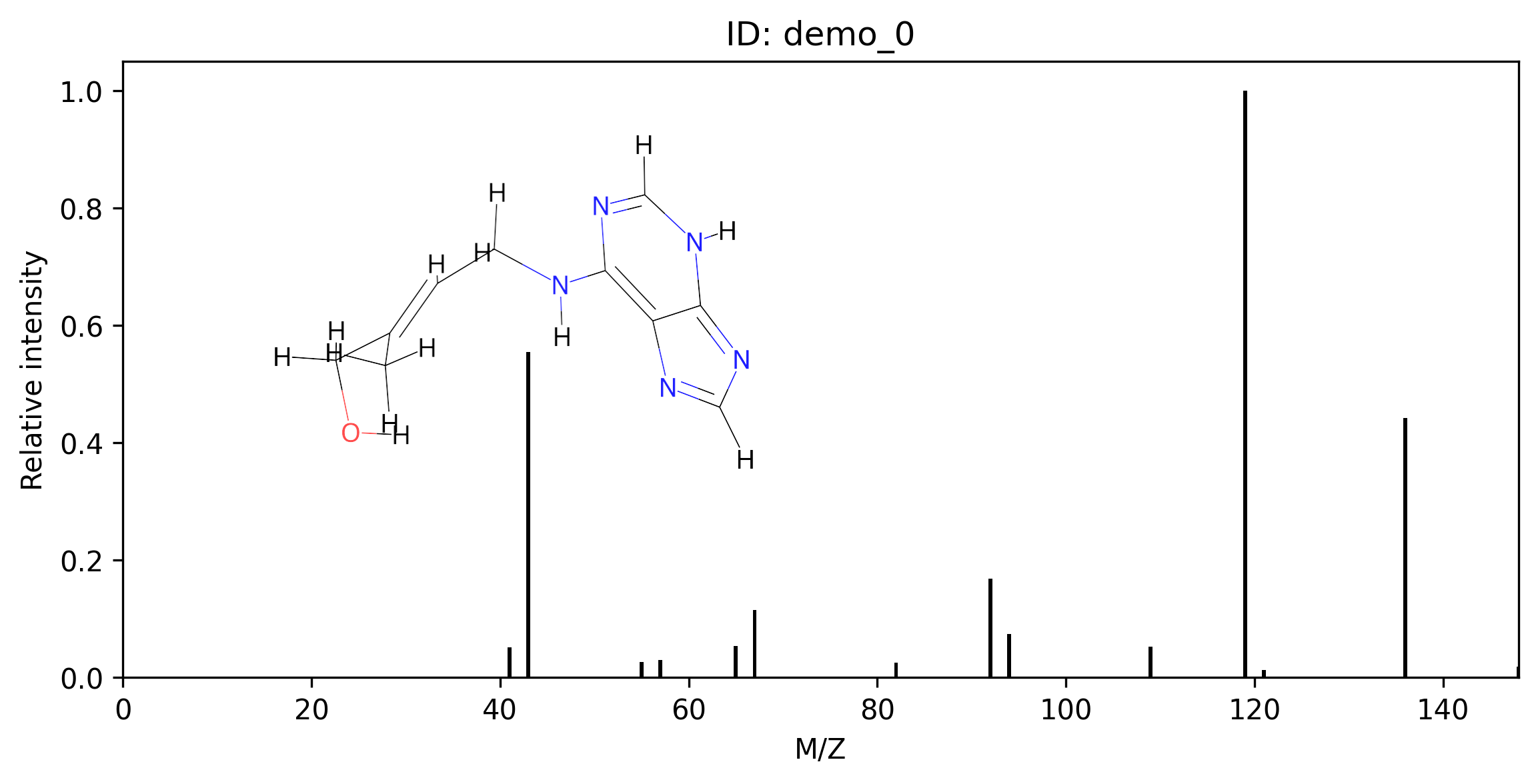
Visualize a predicted spectrum with plot_msms:
- molnetpack.plot_msms(msms_res_df, dir_to_img)[source]
Plot MS/MS spectra with inset 2-D molecular structures.
- Parameters:
msms_res_df (pandas.DataFrame) – DataFrame returned by
MolNet.pred_msms().dir_to_img (str) – Directory where PNG files will be saved (one per spectrum).
For example:
# Plot the predicted MS/MS with its 3D molecular conformation
plot_msms(pred_spectra_df, dir_to_img='./img/')
Using molnetpack for properties prediction
Instantiate MolNet first:
import torch
from molnetpack import MolNet

device = torch.device("cpu")   # or torch.device(f"cuda:{gpu_index}") for GPU
molnet_engine = MolNet(device, seed=42)
Retention time (RT)
Use pred_rt after instantiating MolNet. The model is trained on METLIN-SMRT, so predictions are under the same experimental conditions as that dataset.
- molnetpack.MolNet.pred_rt(self, path_to_results=None, path_to_checkpoint=None)
Predict retention times for loaded molecules.
For example:
molnet_engine.load_data(path_to_test_data='./examples/input_rt.csv')
rt_df = molnet_engine.pred_rt()
Collision cross section (CCS)
Use pred_ccs after instantiating MolNet:
- molnetpack.MolNet.pred_ccs(self, path_to_results=None, path_to_checkpoint=None)
Predict CCS values for loaded molecules.
For example:
molnet_engine.load_data(path_to_test_data='./examples/input_ccs.csv')
ccs_df = molnet_engine.pred_ccs()
Molecular feature embedding
Use save_features to extract encoder embeddings for downstream tasks:
- molnetpack.MolNet.save_features(self, checkpoint_path=None, instrument='qtof')
Extract encoder embeddings for loaded molecules.
For example:
molnet_engine.load_data(path_to_test_data='./examples/input_savefeat.csv')
ids, features = molnet_engine.save_features()
print('Titles:', ids)
print('Features shape:', features.shape)